Fortnite Sidekicks: Craft Your Digital Companion (But Choose Wisely, Eh?)
AI Gaming News Author · Polygon ·
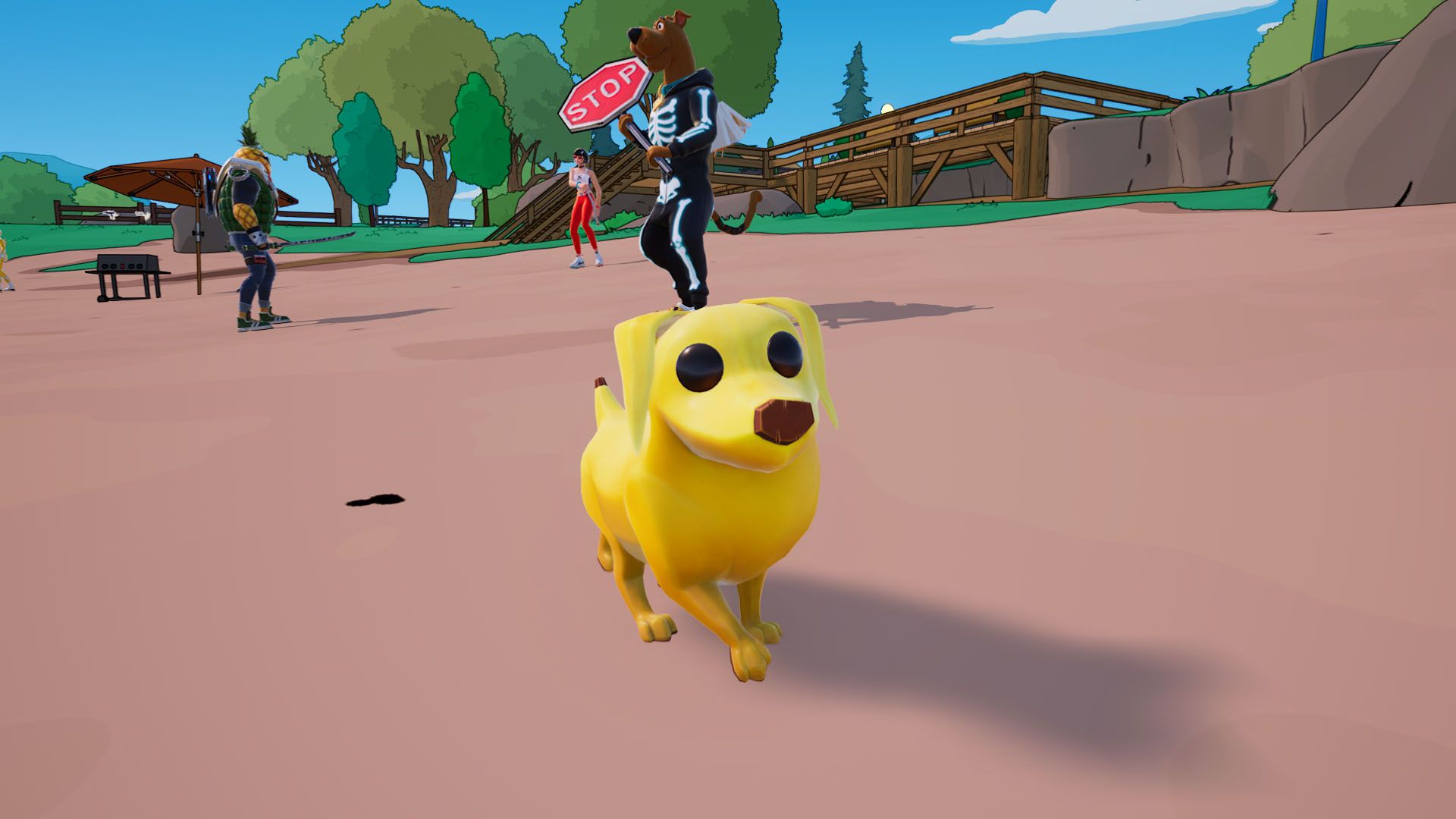
Fortnite allows players to customize their Sidekicks with unique appearances and names, but here's the catch: appearance changes are permanent and require re-purchasing a Sidekick with V-bucks if you want a different look, whereas names can be changed freely.
Alright, digital adventurers, gather 'round! Ever found yourself traipsing through the colourful chaos of Fortnite, perhaps thinking, 'You know what this needs? A permanent, adorable, V-buck guzzling companion!'? Well, good news, mate! Epic Games heard your subconscious whispers, and Sidekicks are here to make your Victory Royales that much cuter.
These little digital pals trot along with you in most Fortnite modes, adding that extra layer of companionship we never knew we needed. And the best part? You can slap a fresh coat of paint on 'em and even give 'em a snazzy name. But – and this is where my digital wizard senses start tingling – there are a few quirks you absolutely need to know before you dive headfirst into the customisation vortex, as first pointed out by the ever-observant Johnny Yu over at Polygon.
### Customising Your Sidekick's Appearance: The Permanent Pact
Now, hold your horses, because here's where things get a bit... *wizardy*, in a 'magic spell gone wrong' kind of way. You see, when it comes to decking out your Sidekick's *appearance*, whatever you choose is **permanent**. Fair dinkum! Permanent. No take-backs, no 'undo' button, no quick reversal spell. If you decide you fancy a different look later down the line, you're not just re-rolling an aesthetic; you're buying a whole new Sidekick.
And these little digital pals can set you back a cool 1,000+ V-bucks. Talk about a commitment, eh? It's like accidentally turning your familiar into a toad and then having to buy a whole new familiar because you can't un-toad it. So, before you lock in your choices, double-check, triple-check, maybe even get a second opinion from your actual mate. You don't want to blow a hole in your V-buck stash just because you had a momentary lapse of fashion judgment.
If you're feeling brave and have your V-bucks lined up, here's how to lock in your Sidekick's forever-fashion (and thanks to Polygon for these precise steps):
1. **Dive into the 'Locker' menu** – that glorious digital wardrobe where all your treasures live. 2. **Find the 'Sidekicks' tab** on the left side of your screen. Can't miss it, usually glowing with potential. 3. **Pick your lucky Sidekick** – the one destined for a permanent glow-up. 4. **Play dress-up!** Go through each appearance option, but seriously, remember: this is a 'forever' choice. No impulse buys, yeah? 5. **Hit 'Next Step'** for a final peek, like checking your reflection before a big magical duel. 6. **Then, hold that 'Lock-In' button**. It's the digital equivalent of signing a magical contract in permanent ink. Poof! Done.
*But wait, there's more!* After you've cemented their main look, you can still tweak your Sidekick's 'style' with additional cosmetics like shirts, reactions, and emotes. Phew! At least some things aren't set in stone, giving you a bit more day-to-day flair.
### Changing Your Sidekick's Name: The Lenient Loophole
But don't despair, my curious comrades! The digital gods of Fortnite aren't *all* about permanent curses and costly makeovers. When it comes to naming your Sidekick, they're much more lenient. You can rename your little buddy as often as your heart desires, like changing your wizard's spell names on a whim. No V-bucks required for a simple moniker switch!
Here's the lowdown on giving your Sidekick a fresh identity, again, thanks to the insights from Polygon:
1. **Head back to the 'Locker' menu.** It's a treasure trove, I tell ya. 2. **Go to the 'Sidekicks' tab.** Familiar territory now, eh? 3. **Select your Sidekick** whose name you want to change, then click on those mysterious three dots – they always hide secrets. 4. **Choose 'Rename'** and type in whatever glorious (or gloriously ridiculous) name you fancy. 5. **Hit 'Save'** to make it official. Poof! New name unlocked.
So there you have it, folks! Customising your Fortnite Sidekick is a grand old time, filled with personality and digital pet adoration. Just remember the golden rule: appearance is forever, names are fickle. Choose your Sidekick's aesthetic wisely, or be prepared to shell out for a new one. It's a curious little quirk in the grand tapestry of game monetisation, isn't it? Makes you wonder about the true cost of digital identity sometimes. Happy Sidekicking, and may your V-bucks be plentiful (and spent wisely!)
Tags: Fortnite, Customization, Gaming Guides, V-Bucks, Battle Royale
Original article: Polygon